Basic configuration
The first tab of Administer » Site configuration » Captcha (admin/settings/mycaptcha) enables you to select the captcha type (math or image) that will be used site-wide. It also contains the clickable sentence "Captcha settings for ..." for each role defined on your site.
When you click on such a sentence, for example, "Captcha settings for anonymous user", a box will open as in the image on the right. This box lists the various forms you can use a captcha on. Simply check the relevant forms and repeat for the other roles on your site (if necessary). Click Save and you're done.
Example
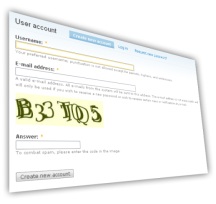
Suppose you wish to enable image captchas for the user registration page. First, select Image captcha for the captcha type. Then, open the "Captcha settings for anonymous user" setting box by clicking on the title. Check the box in front of "register a user account" and click save. If you now logout and visit user/register you'll see an image captcha on the registration form.
Further reading
Settings for both captcha types are available via tabs on Administer » Site configuration » Captcha (admin/settings/mycaptcha). See for more information:
Visit the Advanced configuration guide to learn how to add a captcha to forms not listed on the Captcha settings page.